
The accounting profession has undergone a dramatic transformation in recent years, with remote work
becoming the new standard rather than the exception. For businesses using Tally, India’s most trusted
accounting software, the shift to cloud-based operations has unlocked unprecedented productivity gains.
Remote accounting teams leveraging cloud-based Tally are reporting efficiency improvements of up to 10 times
compared to traditional desktop installations.
This comprehensive guide explores how cloud-based Tally transforms remote accounting workflows, eliminates
bottlenecks, and enables distributed teams to collaborate as seamlessly as if they were sitting side by side.
Cloud-based Tally, also known as Tally on Cloud or TallyPrime on Cloud, delivers the full power of TallyPrime
through remote access technology. Instead of installing Tally on individual computers, the software runs on
high-performance cloud servers that users access through secure internet connections from anywhere in the
world.
The Technology Behind Cloud Tally
Cloud infrastructure providers host Tally installations on enterprise-grade servers with redundant systems
ensuring 99.9% uptime. Users connect through Remote Desktop Protocol (RDP) or web-based interfaces,
experiencing Tally exactly as they would on a local machine but with the added benefits of centralized data,
automatic backups, and anywhere access.
The architecture eliminates the traditional constraints of physical hardware and location-based access. Multiple
team members can work simultaneously on the same company data without conflicts, while administrators
maintain complete control over permissions and security from a central dashboard.
The dramatic productivity increase from cloud-based Tally comes from multiple compounding efficiency gains
across different aspects of accounting workflows.
Instant Access Eliminates Setup Time
Traditional Tally setups require IT support for installation, configuration, and troubleshooting. When team
members work remotely, accessing company data through VPNs, remote desktop connections to office
computers, or file sharing creates layers of complexity and delay. Cloud-based Tally eliminates these barriers
entirely. New team members start working within minutes instead of days, and experienced staff access their
work environment instantly from any device with internet connectivity.
Simultaneous Multi-User Collaboration
Perhaps the single biggest speed multiplier comes from true concurrent access. Desktop Tally installations
typically allow only one user at a time per company file, creating bottlenecks as team members wait their turn to
enter transactions or generate reports. Cloud-based Tally supports multiple simultaneous users working on
different aspects of the same company data without conflicts or waiting.
An accounts payable specialist can process vendor bills while the accounts receivable clerk creates invoices, the
bookkeeper reconciles bank statements, and the accountant generates financial reports—all at the same time, all
on the same live data. This parallelization of work that previously had to happen sequentially delivers
exponential productivity gains.
Cloud-based Tally maintains a single source of truth that all users access in real-time. Every entry, every
modification, every transaction appears instantly for all authorized users, eliminating the confusion and errors
that plague teams relying on data transfers or synchronized copies.
Version Control Nightmares Become History
Traditional remote accounting workflows suffer from version control chaos. Team members email Tally backup
files back and forth, work on different versions simultaneously, and spend hours trying to consolidate changes.
Critical transactions get lost, duplicate entries occur, and nobody knows which version contains the most current
data.
Cloud-based Tally makes this nightmare obsolete. There’s only one version—the live, current version that
everyone accesses simultaneously. Changes made by one team member appear instantly for others, ensuring
perfect data consistency across the entire organization.
Client Collaboration Becomes Seamless
Chartered accountants and accounting firms serving multiple clients benefit enormously from cloud-based Tally.
Instead of traveling to client locations or requesting data exports, accountants access client Tally data remotely
with appropriate permissions. Clients grant temporary access for specific tasks, monitor progress in real-time,
and revoke access when work completes—all without compromising security or control.
Cloud-based Tally enables truly distributed teams where talent can be anywhere. Companies in Mumbai can
hire experienced Tally operators in Bangalore or Delhi without relocation requirements. Small businesses in
tier-2 and tier-3 cities access the same accounting expertise previously available only to major metropolitan
firms.
Time Zone Advantages for Round-the-Clock Processing
Global businesses or those with international clients leverage time zone differences for continuous productivity.
As one team logs off for the day, another team in a different time zone logs in and continues work on the same
data. Month-end closing processes that previously required everyone working overtime simultaneously now
distribute across time zones, reducing stress and improving work-life balance.
While security might seem separate from speed, cloud-based Tally‘s superior security features actually
accelerate many accounting workflows by eliminating compliance bottlenecks and audit delays.
Automatic Audit Trails
Cloud platforms maintain comprehensive logs of every user action—who accessed what data, when they
accessed it, what changes they made, and from which location. These automatic audit trails speed up internal
audits, external audits, and compliance reporting by providing instant access to complete transaction histories
without manual reconstruction.
Role-Based Access Control
Administrators assign granular permissions ensuring team members access only the features and data relevant to
their responsibilities. This security measure actually speeds up workflows by reducing clutter—each user sees a
simplified interface showing only their relevant tasks without distracting options they don’t need or shouldn’t
access.
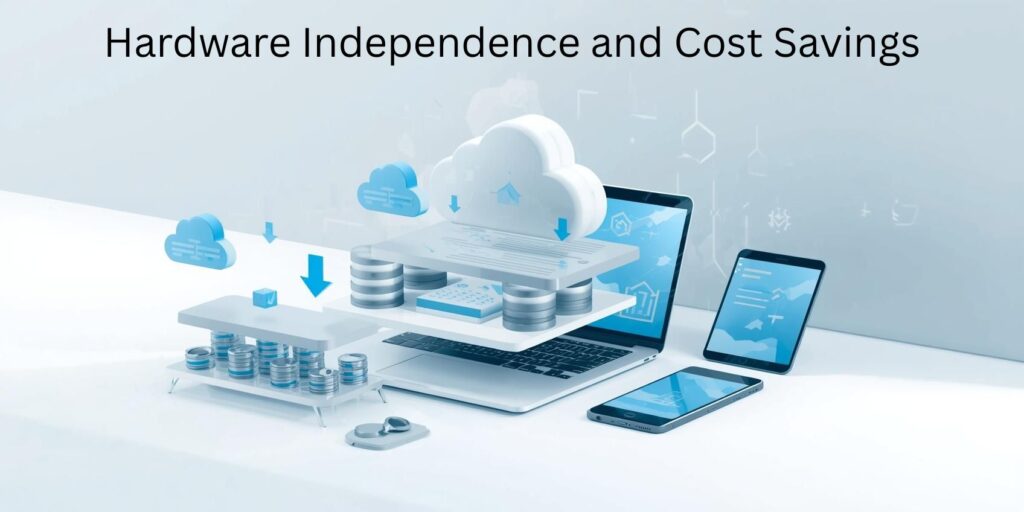
Cloud-based Tally runs on powerful servers regardless of the user’s local device capabilities. Team members
work efficiently from basic laptops, tablets, or even smartphones, eliminating the need for expensive
workstation computers.
Reduced IT Overhead
Desktop Tally installations require ongoing IT support for software updates, troubleshooting, hardware
maintenance, and backup management. Cloud service providers handle all infrastructure management, freeing
internal IT resources for more strategic projects while ensuring accounting operations run smoothly without
technical interruptions.
The elimination of IT bottlenecks represents a hidden speed multiplier. Accounting teams don’t wait for IT
support to install updates, fix connectivity issues, or restore backups—these tasks happen automatically in the
background without impacting productivity.
Traditional Tally installations risk catastrophic data loss from hardware failures, theft, natural disasters, or
ransomware attacks. Recovery from such incidents can take days or weeks, bringing accounting operations to a
complete standstill.
Cloud-based Tally includes automatic backup systems that create multiple copies of data across geographically
distributed data centers. If a user’s device fails, they simply log in from another device and continue working
immediately. If an entire office becomes inaccessible due to natural disaster or emergency, the entire team
switches to working from home without missing a single transaction.
This resilience doesn’t just prevent slowdowns—it eliminates them entirely, ensuring consistent productivity
regardless of external circumstances.
Modern cloud platforms hosting Tally often provide integration capabilities with other business systems,
creating automated workflows that eliminate manual data entry and transfer between applications.
Banking Integration
Direct bank feeds automatically import transactions into Tally, eliminating hours of manual data entry and
reducing errors. Bank reconciliation becomes a matter of matching and confirming rather than tediously
entering each transaction.
E-Commerce and Payment Gateway Integration
Businesses accepting online payments integrate payment gateways directly with cloud-based Tally,
automatically creating sales entries as transactions occur. This real-time integration eliminates end-of-day
reconciliation work and provides instant visibility into cash flow.
For Indian businesses, GST compliance represents a significant ongoing workload. Cloud-based Tally
streamlines GST processes through several mechanisms.
Automatic Updates for Regulatory Changes
The Indian government frequently updates GST rates, rules, and filing requirements. Cloud service providers
push Tally updates automatically, ensuring compliance without requiring IT intervention or user action. Desktop
installations require manual updates that many users delay, creating compliance risks and last-minute rushing
before filing deadlines.
Multi-Location GST Management
Businesses with multiple branches across different states manage location-specific GST requirements
seamlessly through cloud-based Tally. Each location’s team enters transactions with appropriate tax codes, and
the system automatically consolidates data for centralized GST filing while maintaining location-specific
records for state compliance.
Performance at Scale
As businesses grow, desktop Tally installations slow down under the weight of accumulating transaction data.
Year-end processing becomes painfully slow, report generation takes minutes instead of seconds, and users
experience frustrating lag during routine operations.
Cloud servers hosting Tally utilize powerful processors, abundant memory, and fast storage systems far
exceeding typical desktop capabilities. This infrastructure maintains consistent performance regardless of data
volume, ensuring teams work at full speed even with years of historical transactions.
The performance advantage becomes more pronounced over time. While desktop installations slow
progressively, cloud-based Tally maintains consistent speed, widening the productivity gap as companies grow.
Client Portal and Stakeholder Access
Cloud-based Tally enables controlled access for stakeholders who need visibility without operational
involvement. Business owners check financial dashboards from anywhere, investors review reports without
requesting exports, and board members access specific data for governance oversight.
Reducing Communication Overhead
Traditional workflows involve accountants generating reports, exporting them, and emailing to stakeholders
who then request clarifications or different views. Cloud-based access allows stakeholders to run their own
queries and generate needed reports, eliminating the communication loop and freeing accountants to focus on
value-added analysis rather than report generation requests.
Training and Onboarding Acceleration
New team members become productive faster with cloud-based Tally through several mechanisms.
Standardized environments ensure training translates directly to work systems without adjustment for different
desktop configurations. Role-based interfaces present new users with simplified views matching their
responsibilities rather than overwhelming them with Tally’s complete feature set.
Trainers and new hires access identical systems during remote training sessions, eliminating the “it looks
different on my screen” problems that plague remote desktop training. Screen sharing shows exactly what
trainees see, and trainers provide hands-on guidance without physical presence requirements.
Measuring the 10× Productivity Gain
While “10× faster” might sound like marketing hyperbole, the compound effect of multiple efficiency gains
produces dramatic results measurable through concrete metrics.
Time-to-Close Reduction
Companies report reducing month-end closing processes from 5-7 days to less than 24 hours after implementing
cloud-based Tally. The combination of real-time data, simultaneous multi-user access, and elimination of data
consolidation work drives this improvement.
Transaction Processing Speed
Firms processing invoices, bills, and journal entries measure throughput improvements of 300-500% as multiple
team members work simultaneously without queuing. Additional gains come from reduced error correction time
due to better data accuracy and real-time validation.
Report Generation and Distribution
Financial reporting cycles that previously consumed days now complete in hours as stakeholders access live
dashboards and self-service reporting tools instead of waiting for accountants to generate and distribute static
reports.
Realizing the full 10× productivity potential requires thoughtful implementation rather than simply moving
existing workflows to the cloud.
Process Redesign for Cloud Advantage
Successful implementations involve redesigning workflows to leverage cloud capabilities. Sequential processes
where team members wait for others to finish become parallel workflows where multiple activities happen
simultaneously. Manual data transfer steps eliminate entirely as all users access the same live data.
Permission Structure Optimization
Carefully designed role-based permissions ensure team members access exactly what they need without
unnecessary restrictions that slow down work or excessive access that creates security risks and interface clutter.
Internet Connectivity Requirements
While cloud-based Tally works over standard broadband connections, optimal performance requires stable
internet with sufficient bandwidth. Companies should assess connectivity at all locations where team members
work and address any deficiencies before implementation.
Cloud-based Tally typically involves subscription costs rather than perpetual licenses. While this changes the
cost structure, the total cost of ownership usually decreases when accounting for eliminated IT infrastructure,
reduced support requirements, and productivity gains.
Break-Even Analysis
Most organizations achieve positive ROI within 3-6 months through a combination of direct cost savings and
productivity improvements. The ability to scale team size up or down without hardware investments or software
licensing complications provides additional financial flexibility.
Common Misconceptions Addressed
Several myths about cloud-based Tally prevent some businesses from adopting this transformative technology.
“The Cloud Isn’t Secure”
Enterprise cloud platforms implement security measures exceeding what most organizations achieve with onpremises systems. Multi-factor authentication, encryption, automatic security updates, and professional security
monitoring provide superior protection compared to desktop installations vulnerable to physical theft, local
ransomware, and inconsistent security practices.
“We Need Complex VPN Setup”
Cloud-based Tally doesn’t require VPN configuration. Users access systems through secure web-based protocols
or encrypted remote desktop connections using simple credentials and multi-factor authentication.
“Internet Outages Will Stop Work”
While internet connectivity is required, modern cloud platforms include offline capabilities for critical
functions, and most areas now have redundant connectivity options including mobile hotspots for backup.
Emerging technologies promise even greater productivity enhancements for cloud-based Tally users.
Artificial Intelligence Integration
AI-powered features like automatic transaction categorization, anomaly detection, and predictive analytics will
soon augment accountant capabilities, further multiplying productivity beyond current levels.
Blockchain for Audit Trails
Blockchain technology may soon provide immutable audit trails and real-time audit capabilities, reducing
compliance burden while increasing trust and transparency.
Cloud-based Tally represents a fundamental transformation in how accounting teams operate, not merely an
incremental improvement. The 10× productivity multiplier comes from the compound effect of simultaneous
access, real-time collaboration, eliminated geographic constraints, superior security, hardware independence,
disaster resilience, seamless integration, and consistent performance at scale.
For remote accounting teams, these benefits aren’t just nice-to-have features—they’re competitive necessities in
an increasingly distributed work environment. Organizations still relying on desktop Tally installations face
growing disadvantages in talent acquisition, operational efficiency, and business agility.
The question for forward-thinking accounting professionals isn’t whether to adopt cloud-based Tally, but how
quickly they can complete the transition to capture these transformative productivity gains.